Appliance Diagnostic Software for Field Technicians
Appliance diagnostic software helps new technicians test safely, interpret fault codes, document repairs, and build a repeatable field workflow at the job.
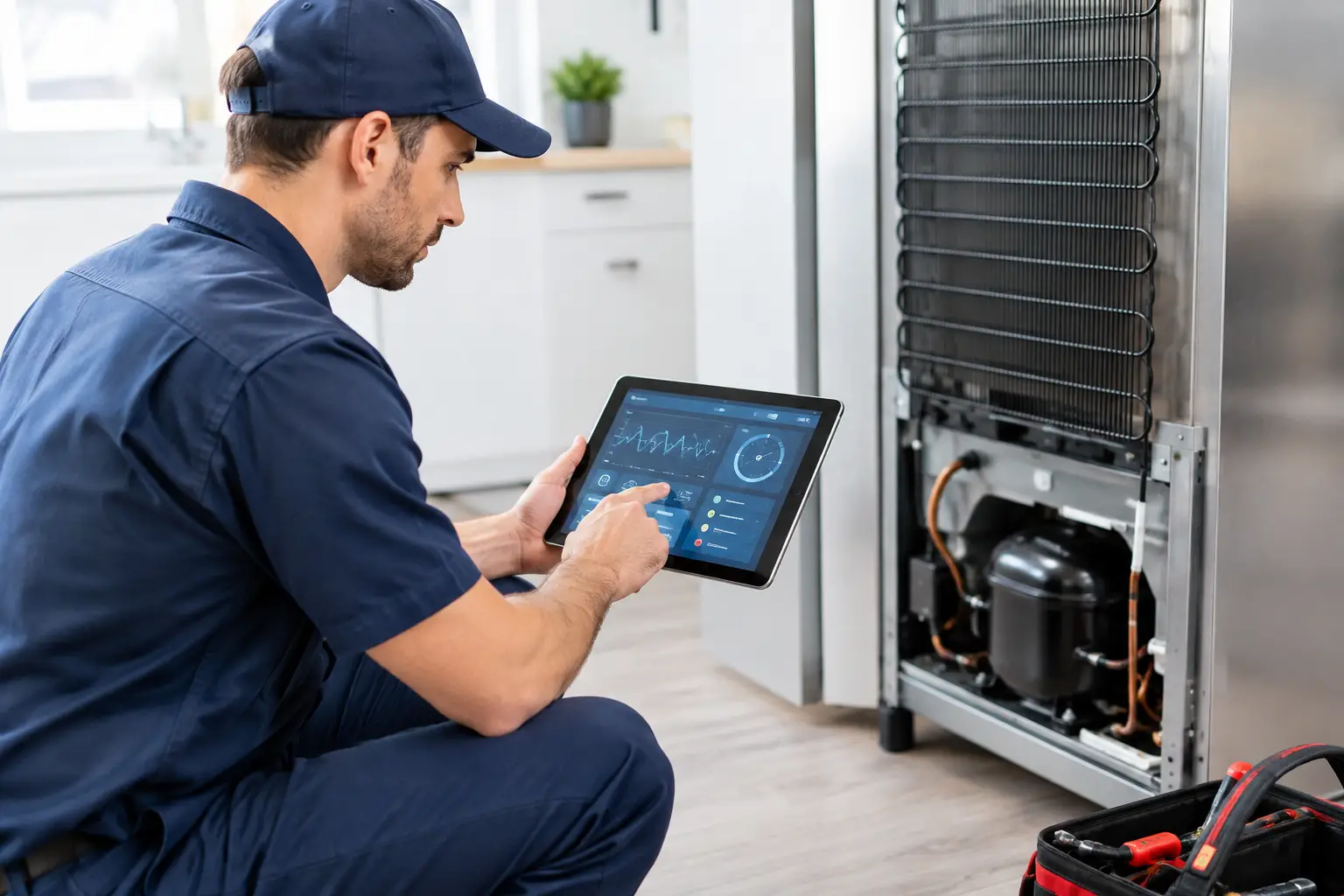
A washer that will not spin, a refrigerator warming up, and a dishwasher throwing an error code can all look like simple service calls. In the field, they are not. A good technician has to confirm the complaint, isolate the failed circuit or component, verify the repair, and explain the result to the customer. Appliance diagnostic software helps turn that process into a repeatable workflow instead of a guessing game.
For a new technician, that matters because speed without process creates callbacks. Replacing a drain pump because a dishwasher will not drain is expensive if the real problem is a blocked air gap, failed control output, broken harness, or door switch issue. Software can help organize what to check. It cannot replace electrical fundamentals, safety procedures, or a multimeter in the hands of a trained technician.
What Appliance Diagnostic Software Does on a Service Call
Appliance diagnostic software is a field tool that brings fault-code references, model-specific information, testing guidance, wiring details, photos, documentation, and job records into one working process. Depending on the platform, a technician may enter a model number, search an error code, upload a photo of a failed part, review likely causes, or build a customer-ready report before leaving the home.
The practical value is not just having information available. It is having the right next question available when the diagnosis reaches a decision point. If a dryer is not heating, the software may prompt the technician to verify supply voltage, check the thermal fuse, test the heating element for continuity, inspect the cycling thermostat, and confirm control-board output. That sequence keeps the technician from ordering parts based on a symptom alone.
This is especially useful across major appliance categories. Laundry, refrigeration, cooking, microwaves, and dishwashers each have different common failures, safety risks, component layouts, and diagnostic modes. A technician cannot rely on memory for every manufacturer platform and every model variation. Software gives structure, but the technician still has to read the meter, inspect the machine, and make the call.
The Best Software Supports a Diagnostic Process
Diagnostic tools work best when they follow the same disciplined workflow used by experienced service technicians. The process starts before a panel comes off.
First, document the customer complaint in specific terms. “Fridge not working” is not a usable diagnosis. “Fresh-food section is 52 degrees, freezer is cold, evaporator fan is not running, and no error code is displayed” gives the technician a starting point. Good software makes room for those observations, model details, photos, and notes rather than reducing the job to a vague label.
Next, make the appliance safe. Disconnect power when the test requires it. Follow lockout/tagout practices where applicable. Discharge microwave high-voltage components using approved procedures. Shut off water or gas before working on the relevant system. No app can make an unsafe test safe. It can remind you of the procedure, but field judgment remains non-negotiable.
Then verify the failure. This is where new technicians often lose time. A code can point toward a circuit, but it is rarely a final parts order. A thermistor code may involve the sensor, connector corrosion, wire damage, a control-board issue, or an out-of-range temperature condition. The technician needs to compare the reading to the manufacturer specification and determine whether the component, circuit, or control is actually at fault.
Finally, document the result and verify operation. A completed job should show what was found, what was tested, what repair was performed, and how the appliance was confirmed operational. That documentation protects the technician, builds customer confidence, and makes future service easier if the unit develops a separate issue later.
Error-Code Lookup Is a Starting Point, Not a Diagnosis
Error-code lookup is one of the most valuable features in appliance diagnostic software, and one of the easiest to misuse. Codes save time because they narrow a broad symptom into a likely system or circuit. They do not give permission to skip testing.
Take a refrigerator reporting an evaporator fan-related code. The correct workflow may include checking for ice interference, verifying fan blade movement, measuring voltage at the motor, inspecting the harness at the cabinet pass-through, and testing the control response. Installing a fan motor without those checks may solve nothing.
The same principle applies to a washing machine with a lid-lock error, an oven with a temperature sensor fault, or a dishwasher with a circulation issue. Use the code to build a test plan. Use measurements and observation to prove the failed part.
Wiring References and Meter Guidance Build Confidence
Wiring diagrams can intimidate beginners because they look dense at first glance. In reality, they are the map that explains how voltage should travel through the appliance. Software that presents wiring references alongside guided test steps can shorten the time between “I see the schematic” and “I know where to place my meter leads.”
A useful tool should help answer field questions such as: Is the board sending voltage to the load? Is the neutral path intact? Is the safety switch open? Is the component receiving the correct supply? Does the resistance reading match the expected range? Those are the questions that separate a professional diagnosis from a parts-changing approach.
For career changers, this matters because electrical testing is learnable. You do not need to memorize every circuit before your first job. You do need to understand voltage, resistance, continuity, safety, and how to follow a structured test sequence. Software reinforces that sequence when the job becomes more complex than the training bench.
Where AI Helps, and Where It Does Not
AI-powered diagnostic tools can help technicians identify visible issues from photos, interpret common error-code patterns, organize symptoms, and create faster documentation. A clear image of a damaged door gasket, burned terminal, cracked igniter, or loose connector can give the technician a useful starting point. AI can also reduce administrative drag by turning job notes into a clean report for the customer.
That is valuable because time spent searching manuals, rewriting notes, and explaining findings is time not spent completing paid work. For an independent technician, faster documentation can mean tighter routing, more professional estimates, and better records for warranty or follow-up service.
But AI has limits. A photo cannot reliably prove a control board is sending the correct voltage. An error code cannot account for every installation problem or previous repair. A suggested cause is not a measured result. The technician must still inspect, test, and verify.
Think of AI as a force multiplier. It helps a trained technician work with more consistency and less wasted motion. It does not replace hands-on skill, sealed system fundamentals, proper use of a multimeter, or customer communication.
What to Look for Before You Rely on a Tool
Not all diagnostic platforms are equally useful in a service environment. A tool built for real field work should provide more than a searchable list of error codes. Look for coverage that supports model identification, fault-code lookup, photo-based assistance, wiring references, guided multimeter testing, job ticketing, and customer-facing reporting.
The best choice also depends on where you are in your career. A new technician benefits most from software that explains the next test and the reason for it. A more experienced technician may prioritize speed, model data, documentation, and business workflow. An owner with multiple technicians may need consistent job records and reporting across the team.
There is a trade-off: software can make information easier to access, but it cannot build competence by itself. If you do not know how to safely measure line voltage or interpret an ohms reading, the correct answer is training, not more screen time. The strongest path combines structured instruction, simulations, supervised feedback, and field tools that support the process you were taught.
At Appliance Repair Academy, students learn that process across a structured 12-week program covering safety, electrical testing, laundry, refrigeration, cooking, microwaves, dishwashers, diagnostic workflows, customer documentation, and business operations. More than 80 scenario-based simulations give students practice making decisions before they are standing in a customer’s kitchen. The 12-month companion AI app subscription then gives them a practical tool for applying those habits on real jobs.
A technician who can explain a test result, document a repair, and verify operation is easier to hire and better positioned to build an independent service business. Start by exploring Academy training content and downloading the companion AI-powered diagnostic app, then put a disciplined diagnostic process behind every service call.