Photo Diagnostic App Review for Appliance Techs
Our photo diagnostic app review explains where camera-led appliance troubleshooting saves time, where it falls short, and how techs should use it safely.
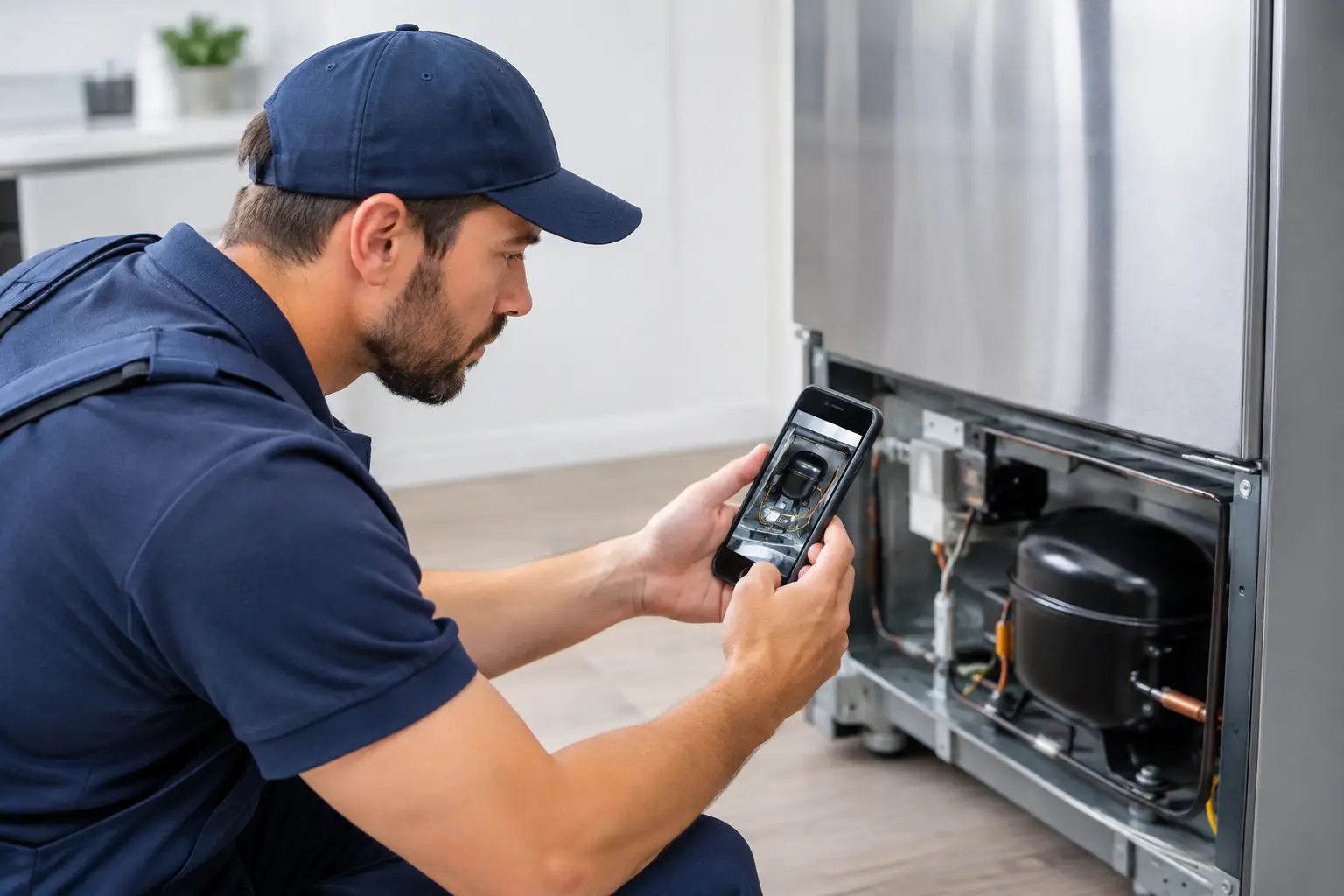
A homeowner sends a blurry photo of a refrigerator model tag and says, “It’s not cooling.” A new technician can lose 20 minutes searching for the exact platform, service information, and likely fault path before the meter ever comes out. A capable photo diagnostic app can shorten that setup time. But this photo diagnostic app review starts with the field reality: a camera can identify clues, not prove a failed part.
For people building an appliance repair career, that distinction matters. The app should help you move faster from visual evidence to a testable diagnostic plan. It should not encourage guesswork, part swapping, or unsafe work around live voltage, sharp sheet metal, high-voltage microwave circuits, or sealed-system components.
What a photo diagnostic app should do on a real call
The practical value is not that an app “repairs” an appliance from one image. Its value is reducing the friction between arriving at the home and beginning a disciplined workflow. A useful tool reads model and serial tags, recognizes visible components, surfaces relevant error-code information, and helps organize what you found for the customer and your job record.
That can make a difference when you are working across multiple appliance categories. A laundry call may involve a worn belt, lid-lock issue, drain restriction, or control communication fault. A refrigerator complaint may point toward airflow, defrost, fan operation, thermistor readings, inverter control, or sealed system fundamentals. The photo is the starting point that helps the technician pull up the right reference material faster.
The strongest apps also support the work after the visual scan. Look for wiring references, multimeter guidance, symptom-based troubleshooting paths, and customer-ready reporting. Those features turn a phone from a lookup device into a field tool.
Photo Diagnostic App Review: Where It Saves Time
A photo diagnostic app earns its place in a technician’s toolkit when it improves the first five to ten minutes of the job. Model-tag recognition is one of the clearest examples. Instead of manually entering a long model number with faded characters, you can capture the label, confirm the result, and move to platform-specific information.
Component identification can help as well, especially for newer technicians. A clear image of a refrigerator control board, dishwasher circulation assembly, oven igniter setup, or washer drain pump can point you toward the correct component name and location. That reduces the chance of looking up the wrong diagram or ordering a part based on a vague description.
Error-code lookup is another high-value use case. The code is not the diagnosis, but it provides a direction. A technician still needs to verify harness connections, supply voltage, resistance values, continuity, and component operation. Used correctly, the app helps translate a code into the next measurement rather than treating it as an automatic parts order.
The reporting side matters for technicians who want more than hourly work. Clear photos, documented findings, recommended repairs, and customer-facing language protect the business and build trust. When a customer can see a damaged door gasket, burned terminal, cracked dispenser housing, or frost pattern that supports your explanation, approval conversations become more professional.
Where Photo-Based Diagnosis Falls Short
The limitations are just as important as the features. A phone camera cannot measure voltage, current draw, resistance, pressure, temperature differential, or insulation breakdown. It cannot confirm whether a compressor is mechanically failing, whether a control board is sending the correct output, or whether a defrost circuit opens under load.
Image quality also changes the result. Poor lighting, glare, grease, corrosion, missing labels, and a component hidden behind panels can make recognition unreliable. Appliance layouts vary by model, and even a correct-looking part may have different specifications or wiring connections across product lines.
There is also a safety limit. No app should replace lockout/tagout practices, a visual inspection for damaged conductors, or a technician’s judgment about when to de-energize equipment. Microwave work requires special caution because high-voltage capacitors can retain a dangerous charge. Refrigeration work requires proper tools, procedures, and legal handling practices. If an app makes a beginner feel certain before they have tested anything, it is being used the wrong way.
A good rule is simple: use the photo to create a hypothesis, then use your meter, diagrams, and functional tests to verify it.
The Features That Matter Most for New Technicians
Not every app feature has equal value on a service call. For a career changer learning the trade, prioritize tools that reinforce sound diagnostic habits instead of offering generic answers.
First, the app should let you confirm the appliance model and preserve the details in a job ticket. Accurate documentation helps with parts research, return visits, warranty questions, and customer communication.
Second, it should connect visible information to test procedures. If it identifies a thermistor, the next useful step is a resistance-versus-temperature reference and instructions on where to test it. If it surfaces a motor-related error, it should lead you to the wiring path, voltage checks, and mechanical inspection points.
Third, it should support organized reporting. A technician who documents the symptom, test results, fault found, parts needed, and repair recommendation is building a repeatable business process. That is how independent service professionals reduce callbacks and earn referrals.
Finally, consider whether the app is supported by actual technician education. A tool can save time, but training teaches you why a measurement matters. Without electrical fundamentals, you may know that a board looks suspicious but not know how to verify line voltage, neutral continuity, DC supply output, or a failed load.
A Field Workflow That Keeps the Technician in Control
Use a photo diagnostic app after your initial safety and symptom check, not before. Confirm the customer’s complaint, inspect the appliance condition, and capture the model tag and relevant visible evidence. Then use the app to identify the platform, retrieve likely fault paths, and organize your notes.
From there, follow a test sequence. Check the simple mechanical and installation causes first: power supply, water supply, venting, leveling, filters, blocked airflow, damaged gaskets, loose connections, and obvious leaks. Next, use error codes and service information to choose the right electrical or functional tests.
Document actual readings, not just conclusions. “Heating element has continuity and receives 240 VAC during heat call” is stronger than “element seems okay.” “Fresh-food thermistor measured out of range at measured compartment temperature” gives the next technician, the customer, and your future self a clear record.
Before quoting a repair, confirm the part number, availability, and repair economics. A photo tool may identify the assembly, but the technician still decides whether the repair is appropriate based on appliance age, condition, failure type, labor, and customer priorities.
The Career Value Is Speed Plus Verification
The appliance repair trade rewards technicians who can think in a repeatable process. Fast identification is valuable, but verified diagnosis is what protects your reputation. A photo diagnostic app can help a new technician get oriented on unfamiliar equipment and help an experienced technician move through documentation faster. It cannot replace hands-on competency.
That is why practical training should pair simulations, electrical testing, appliance-specific lessons, and real diagnostic workflows with modern field tools. At Appliance Repair Academy, students work through more than 80 scenario-based simulations, graded coursework, and a 75-question final assessment while learning the systems behind laundry, refrigeration, cooking, microwaves, and dishwashers. Paid tuition also includes a 12-month subscription to the companion AI app.
The smart use of AI in appliance repair is not blind automation. It is using better information at the right moment, then proving the failure with safe, professional testing. Build that habit now, and every service call becomes an opportunity to work faster, communicate better, and earn with confidence.
Explore Appliance Repair Academy content for structured, career-focused training, and download the companion AI-powered diagnostic app to support your hands-on field workflow.